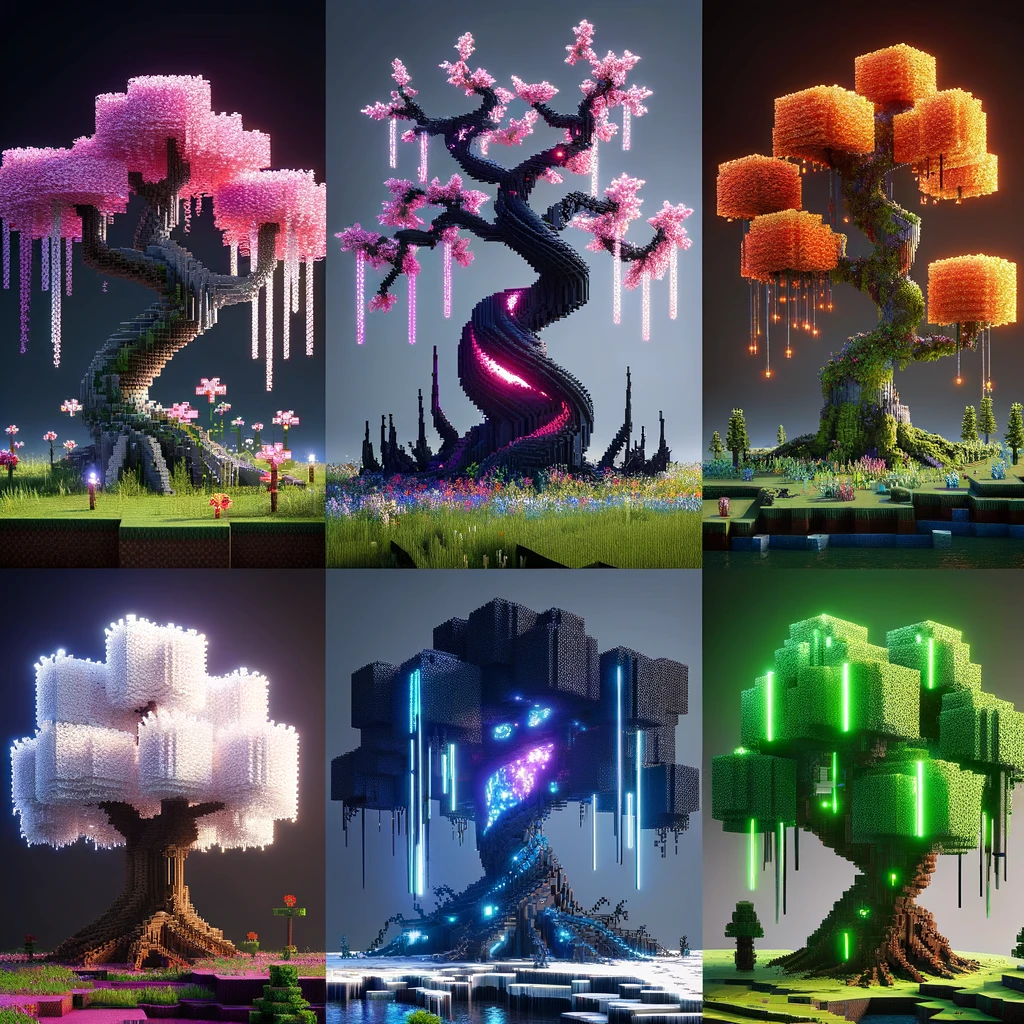
Crafting Nature’s Giants: The Art of Creating Custom Trees in Minecraft
Welcome, fellow Minecraft enthusiasts, to the green-fingered side of the pixelated world where we swap swords for shears and pickaxes for leaves. Today, we’re diving into the lush foliage of Minecraft to uncover the secrets of creating custom trees. Yes, those towering beacons of greenery that can make your Minecraft world go from «meh» to «wow» with just a few blocks!
Branching Out: Why Bother With Custom Trees?
First things first, why should you even bother crafting these arboreal wonders? Well, my dear saplings, custom trees add life, beauty, and atmosphere to your builds. They can turn a bland backyard into an enchanting garden or a bare landscape into a mysterious, ancient forest. Plus, they’re a fantastic way to flex your creative muscles and add a personal touch to your world. So, grab your virtual gardening gloves, and let’s get planting!
The Roots of Creation: Planning Your Tree
Before you start throwing leaves and logs willy-nilly, there’s a bit of groundwork to do (pun intended). Designing a custom tree is like painting: you need a vision before you touch your brush (or block) to the canvas (or ground).
Choosing Your Style
What kind of tree are you aiming to create? A towering oak? A whimsical cherry blossom? A gnarled witch’s tree? The Minecraft world is your oyster, and the type of tree will determine your materials and approach.
Selecting the Right Materials
Different woods and leaves can drastically alter the appearance of your tree. Oak and birch for a classic look, dark oak for a more ominous vibe, or even coral and wool for something straight out of a fantasy. Remember, in Minecraft, your imagination is the only limit.
Sketching It Out
Yes, you heard me. Sketching isn’t just for «real-world» artists. Having a rough idea or even a detailed plan can make the building process smoother. Think about the shape, size, and how it fits into its surroundings.
The Trunk: Building Your Tree’s Foundation
The trunk is more than just a tree’s backbone; it’s its statement piece. It dictates the height and girth of your tree and sets the tone for the entire build.
Creating the Shape
A straight trunk is fine for a simple tree, but for something more natural, consider curves or twists. Use different shades or types of wood to add texture and depth.
Branching Out
Literally! Branches give your tree character. Don’t just stick them straight out; angle them upwards, downwards, or to the side. Vary their length and thickness to mimic nature’s randomness.
The Leaves: More Than Just Decoration
Leaves give life to your tree, but slapping them on without a second thought will leave your tree looking more like a blocky mess than a leafy haven.
Layering and Shaping
Think about how leaves grow in real life – they’re denser at the top and sparser near the bottom. They follow the shape of the branches and add volume and dimension to your tree.
Color Variation
Mix different types of leaves to create texture and depth. Consider the season – maybe your tree is blooming with flowers, or perhaps it’s a fiery cascade of autumn hues.
The Finishing Touches: Bringing Your Tree to Life
Your tree might look good from afar, but the devil, as they say, is in the details.
Adding Personality
Mossy blocks, vines, or even hanging lanterns can add that extra oomph. Want to make your tree look older? Add some cobwebs and mushrooms around the base.
Integrating with the Environment
A tree doesn’t stand alone; it’s part of a larger ecosystem. Add some surrounding shrubbery, flowers, or even a small pond to make your tree feel at home.
Nighttime Glow
Consider how your tree will look at night. Strategic placement of glowstone or shroomlights can turn it into a stunning nighttime feature.
Branching Beyond the Basics
Once you’ve mastered the art of the custom tree, why stop there? Combine trees to create a forest, craft a treehouse, or even build an entire ecosystem around your botanical masterpiece.
Rooting for You: Final Thoughts
Creating custom trees in Minecraft is an art form. It requires patience, vision, and a dash of creativity. But the rewards? A breathtaking landscape that breathes life into your world. So next time you’re in Minecraft, take a break from mining and crafting, and try your hand at a bit of gardening, block style. Who knows? You might just find that you have a green thumb, pixelated though it may be.
Happy building, and may your Minecraft gardens flourish!
Добавить комментарий